
Choose your starting point.
Open a page, find a section in Layers, or create and duplicate public pages.
Pages & layersMeet the visual workspace behind your next hosting brand. Shape your pages, colors and content — with a connected client area and checkout to complete the experience.
Pages, content, assets and publishing.
Services, domains, billing and support.
From product configuration to checkout.
Don’t just choose a template. Make it your own. The visual Studio brings your page structure, content, brand and product presentation into one focused workspace.
Open the interactive Studio previewOpen a page, find a section in Layers, or create and duplicate public pages.
Pages & layersEdit copy and imagery, set your brand colors, and connect your real WHMCS products.
Content, theme & plansKeep a draft, review desktop, tablet and mobile canvases, then publish when ready.
Drafts & publishingAdd or duplicate public pages. Arrange sections and navigate the page through its layers.
Explore the editorSee the interface in action. The interactive preview is a safe demonstration. Your real website stays managed in your own WHMCS installation.
Explore the real website, customer workspace, orderform and Studio. Open a screen for the full view — or step into the live demo.
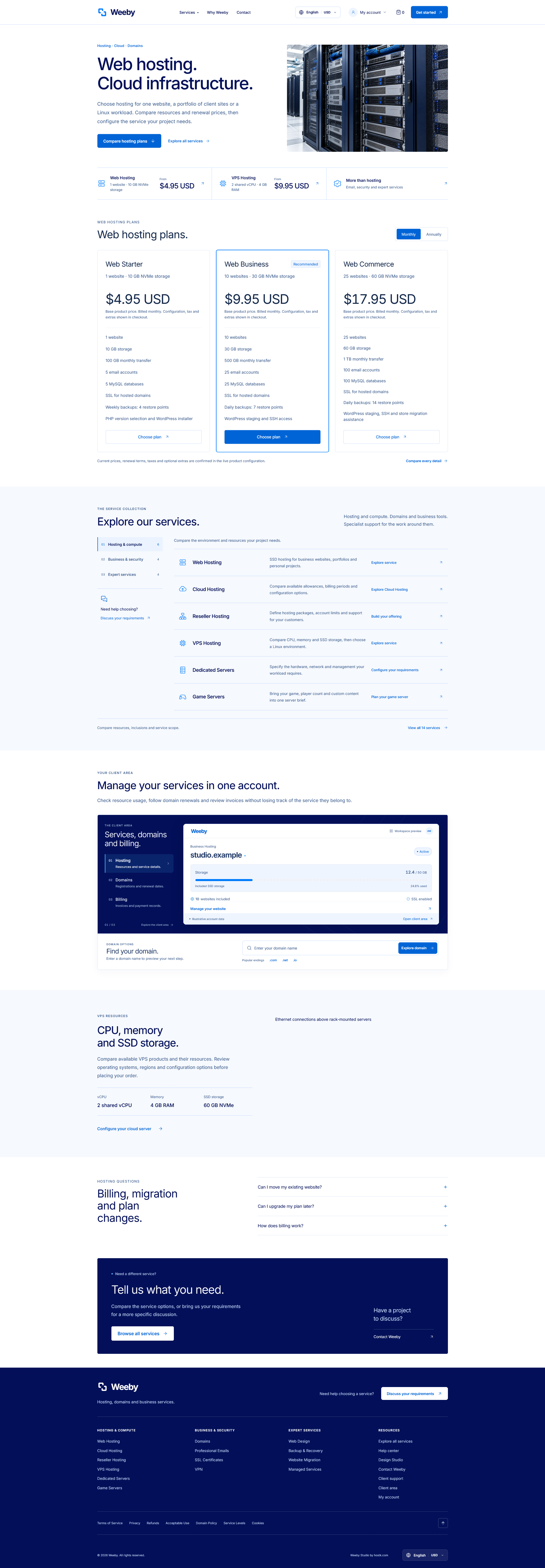
Service pages, plan comparisons and a clear path to the right product.
Explore scalable interface previews above. Enlarge any gallery capture to view its original size. Studio and checkout use the original PNG files; live demo captures retain their native resolution.
Start with the original Weeby palette. Explore 12 coordinated directions, then make your own with Custom colors in the Studio.
This is the actual rendered theme with its native palette styles. Supported bundled visuals and the default favicon follow your colors; custom uploaded artwork keeps its own colors.
A consistent workspace for services, domains, invoices and support. A matching orderform for the next purchase.
The creative tools behind the website. The connected details behind your customer experience.
Create and duplicate public pages. Arrange content, imagery and sections visually.
Coordinated colors, typography, logos and a palette-aware default favicon.
Map page slots to WHMCS products and groups, with live prices and native order links.
Edit resource display text and compare allowances without rewriting product entitlements.
Translate page content, menus and labels; choose RTL or LTR reading direction.
Keep drafts separate, preview your changes and revisit saved published versions.
Services, domains, billing and support brought into a consistent account experience.
Configuration, domains, cart and checkout, with an itemized order summary.
Manage page titles, descriptions, shared navigation, asset uploads and custom CSS.
Manage translations for your website content, navigation and labels. Choose RTL or LTR layouts, alongside the languages and currencies configured in WHMCS.
Studio translations cover your website. Native account forms use installed WHMCS language files.
23 starting public pages, including 14 service landing pages. Add your products, your content and your own point of view.
Web, cloud, reseller, VPS, dedicated and game servers.
Domains, email, SSL certificates and VPN services.
Design, backups, migrations and managed services.
A website to introduce your business. A workspace to serve your customers. And a Studio to make both feel like you.
WHMCS template + visual website builder
For a compatible, licensed self-hosted WHMCS installation. Hosting, WHMCS licensing, payment gateways, registrars and provisioning services are configured separately. Confirm your release compatibility before purchase.
Something specific to your setup?
Talk to Hostk Read the documentationWeeby Studio combines public website layouts, a WHMCS system theme, a native order form and an administration addon for visual editing. The starting public website contains 23 pages, including 14 service landing pages.
You can edit public page content, images, links, sections and styles in the visual Studio. Shared branding, menus, colors and translations have dedicated controls. Advanced integrations and server configuration may still require technical setup.
Yes. Map page slots to your real WHMCS products and groups. WHMCS remains responsible for product prices, taxes, billing, orders and the service being purchased. Resource display text changes the website presentation; it does not change product entitlements.
Yes. Choose one of 12 coordinated palettes or set Custom colors, then update branding and imagery in the Studio. The default favicon and supported bundled visuals follow the palette. Custom uploaded artwork keeps its original colors.
The Studio provides per-language website content, navigation and interface labels, with RTL or LTR reading direction. Native WHMCS forms use the installed WHMCS language files. A custom Studio translation does not install a native WHMCS language pack.
The interface uses currencies configured in WHMCS. Product prices and conversion values come from WHMCS settings. Existing client accounts and financial documents may retain their assigned currency according to WHMCS rules.
Yes. The Studio separates drafts from the published website and offers desktop, tablet and mobile canvas previews. You can publish a prepared draft, use saved published versions and export or import an editable project JSON backup.
WHMCS is a separate requirement. Install a compatible licensed WHMCS release, configure your products and selling services, retain the native theme and cart dependencies, then activate Weeby Studio with your serial. Payment gateways, registrars and provisioning modules remain configured in WHMCS.